Similarity Sensitivity in DeDup 1.5.3 on Android: what the bits slider changes
Similarity Sensitivity decides how different two photos can look and still end up in the same duplicate group. It's measured in "bits", and it applies to the photo scan. This post covers what the number means, its limits, and when a change takes effect.
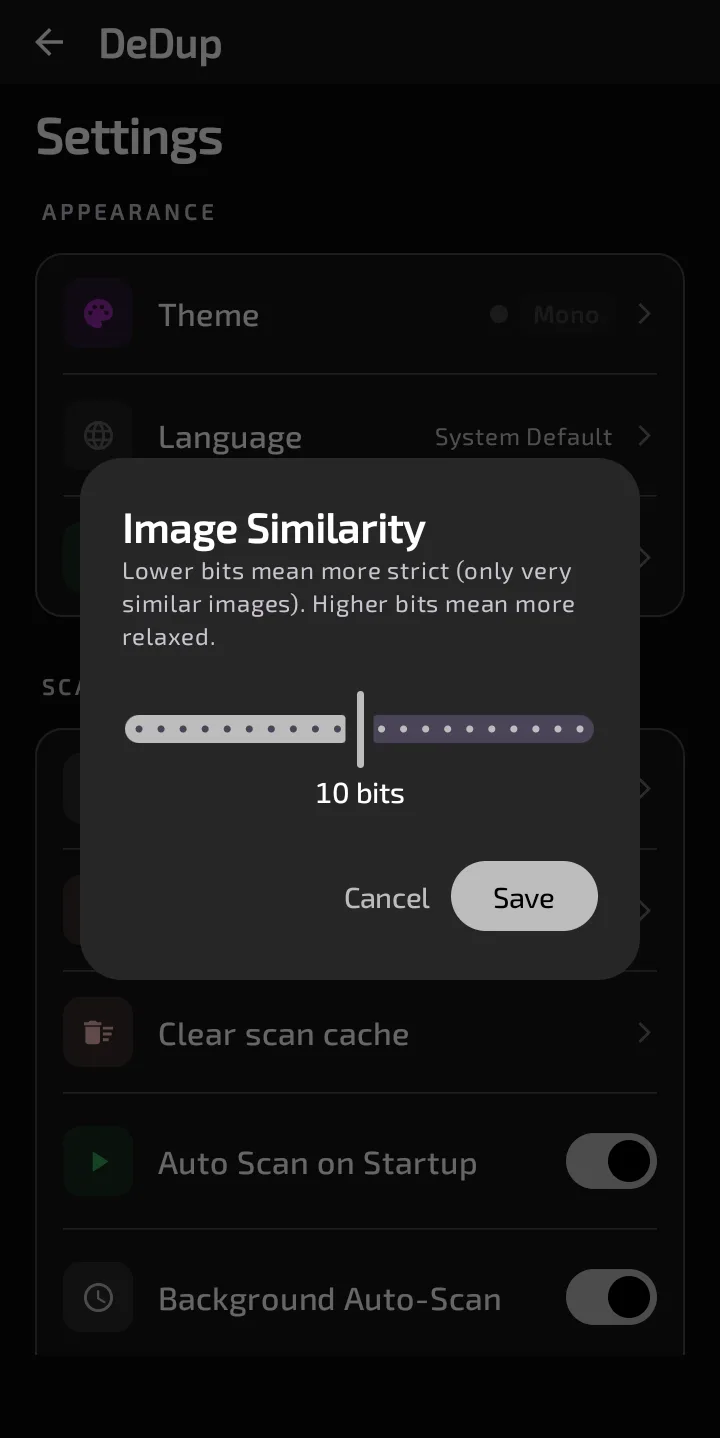
The Image Similarity dialog in Settings, set to 10 bits.
Where it is and what it accepts
Open Settings, find the Scanning section, and tap Similarity Sensitivity. The row shows the current value as "N bits". The dialog is titled "Image Similarity". It has a slider from 0 to 20 in whole steps, with Cancel and Save buttons. Its hint reads: "Lower bits mean more strict (only very similar images). Higher bits mean more relaxed."
The default is 10. When a scan starts, the app reads the saved value and clamps it to the range 0 to 20, so no scan uses a value outside it.
What a "bit" is
During a scan, each photo is reduced to a 64-bit fingerprint based on brightness differences across a small grid. The distance between two photos is the number of bits where their fingerprints differ.
The rule in the code: a photo joins an existing group if its distance to that group's first photo is no larger than your setting. If several groups qualify, it joins the closest. Otherwise it starts its own group.
- At 0, the fingerprints must be identical. That's not the same as identical files: two different shots can share a fingerprint.
- At 20, up to 20 of the 64 bits may differ.
Photos with the same file size and the same first-64-KB checksum are grouped by the exact-file check before this rule is applied, so the setting doesn't change that match.
What happens to your groups when you move it
In general, a lower value accepts fewer look-alikes, so photos are less likely to be pulled into a group. A higher value accepts more, so a group can take in photos that are different shots of a similar scene. DeDup's own Auto Clear dialog says: "Visual similarity detection can occasionally make mistakes." Check groups before you delete from them, especially at higher values.
Two things limit how predictable this is:
- Each photo is compared with the first photo of a group, not every member, so grouping can depend on processing order.
- I haven't measured how many groups change per bit.
When a change takes effect
Saving a new value doesn't start a scan. Groups already on screen, and the saved results shown when you reopen the scanner, stay as they were until you tap Scan again. Auto Scan on Startup only runs when there are no saved groups.
A re-scan is cheaper than the first one, because the stored fingerprints are reused for photos whose size and modified date haven't changed. The grouping step then runs again with the new value.
In 1.5.3 only the photo scan reads this setting. The video scan and the separate "Find Visual Duplicates" scan don't.
Scope of this post
Checked against: DeDup 1.5.3 source code (Android).
Not tested on a device: how many groups appear at different values on a real photo library, how the slider feels. The range, default and rule above were read from the code.
Screenshots were captured on a DeDup 1.5.3 development build on Android 15 (Moto g34 5G), and show only settings and empty or summary screens.