Which photo and video permissions DeDup 1.5.3 asks for on Android
DeDup reads your photos and videos through Android's media permissions. Which permission it asks for depends on your Android version. On Android 14 and newer, the system also lets you share only some of your photos, and DeDup treats that as a separate state.
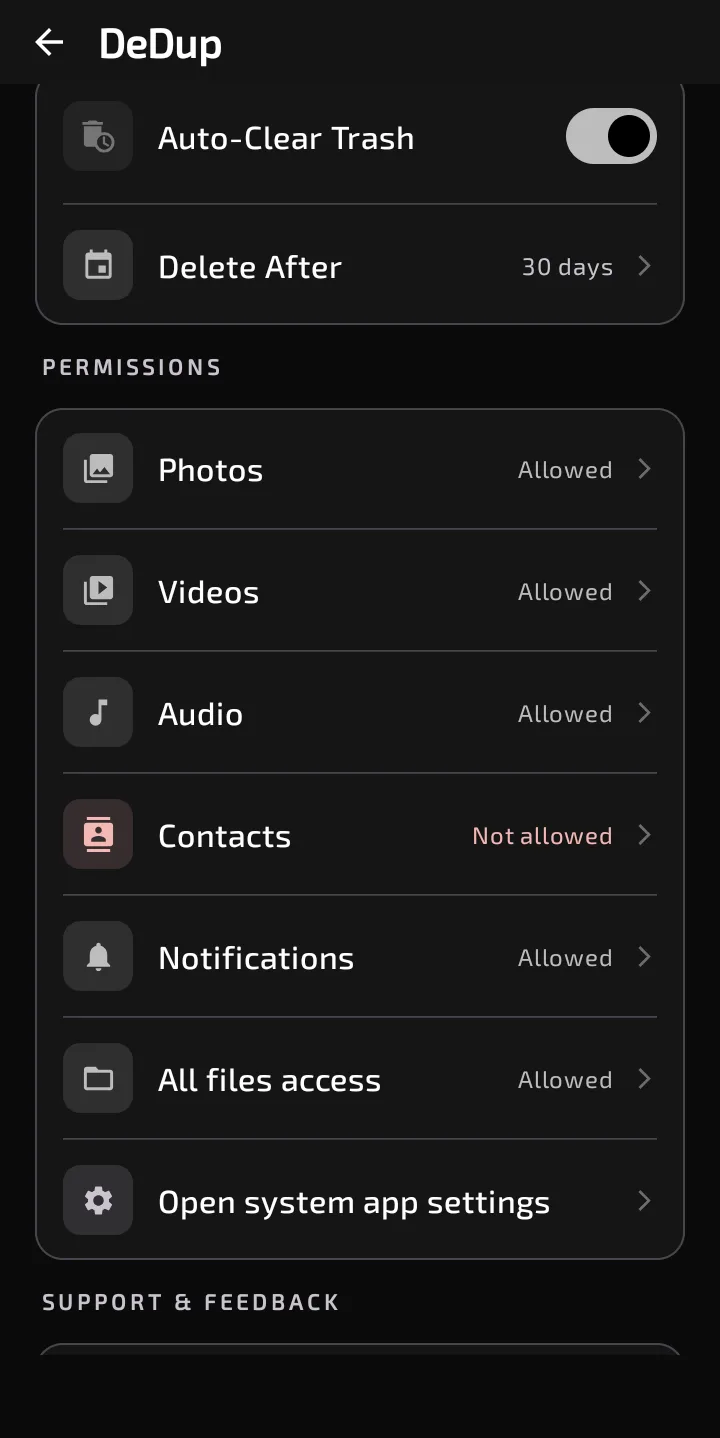
Settings shows the state of the Photos and Videos permissions.
Which permission, on which Android version
For photos, the code asks for:
- Android 14 and newer: READ_MEDIA_IMAGES and READ_MEDIA_VISUAL_USER_SELECTED (the "selected photos" permission).
- Android 13: READ_MEDIA_IMAGES.
- Android 10 to 12L: READ_EXTERNAL_STORAGE.
- Android 9 and older: READ_EXTERNAL_STORAGE and WRITE_EXTERNAL_STORAGE.
For videos, it's the same list, with one difference. On Android 13 and newer it asks only for READ_MEDIA_VIDEO, so there's no selected-items permission in the video list.
The app also declares READ_MEDIA_AUDIO for Android 13 and newer. It's used by Agent Mode and by the screen that answers questions about your storage, not by the photo or video scanners.
What each one lets DeDup do
The Image Scanner and Video Scanner don't open until every permission on their list is granted. Until then you see a card titled "Gallery Access Needed" or "Video Access Needed" with a "Grant Access" button. The system permission prompt also appears automatically when the screen opens.
Read access is what lets DeDup list and compare your files. Deleting is separate. On Android 11 and newer, deletes go through the system's delete prompt. On Android 10, the system asks for consent per file. On Android 9 and older, DeDup deletes directly under the permission you granted, which is why WRITE_EXTERNAL_STORAGE is declared for those versions only. Every scanner delete is permanent. DeDup's Trash screen exists, but nothing in the 1.5.3 scanners sends files to it.
If you allow only selected photos
On Android 14 and newer, the system dialog can grant access to just the photos and videos you pick. DeDup's Settings then shows "Selected only" next to Photos and Videos.
Here's what the code does with that state. The scanner screens are gated on every permission in the list, including READ_MEDIA_IMAGES or READ_MEDIA_VIDEO. With selected-only access, those aren't granted, so the scanner shows the "Gallery Access Needed" card again. I found no code path that scans just the photos you picked. In practice, scanning for duplicates means allowing access to all photos and videos.
Changing the choice later
- Open Settings in DeDup and find the Permissions section.
- Tap Photos or Videos.
- If it says "Not allowed", DeDup asks the system for the missing permissions. If it says "Allowed" or "Selected only", DeDup opens its page in Android's app settings.
Scope of this post
Checked against: DeDup 1.5.3 source code (Android).
Not tested on a device: what each Android version's permission dialog looks like, what the system does when you tap "Grant Access" after choosing selected-only access, and whether any phone maker changes this behavior. The version lists above are the API levels the code branches on, read from the source, not observed on phones.
Screenshots were captured on a DeDup 1.5.3 development build on Android 15 (Moto g34 5G), and show only settings and empty or summary screens.