How the language setting works in DeDup 1.5.3 on Android
DeDup has a Language row in Settings. It lets you choose between following your phone's language, English and Hindi. The app also contains Slovenian text. The Hindi and Slovenian text is a draft that hasn't had a native-speaker review, so wording may be off.
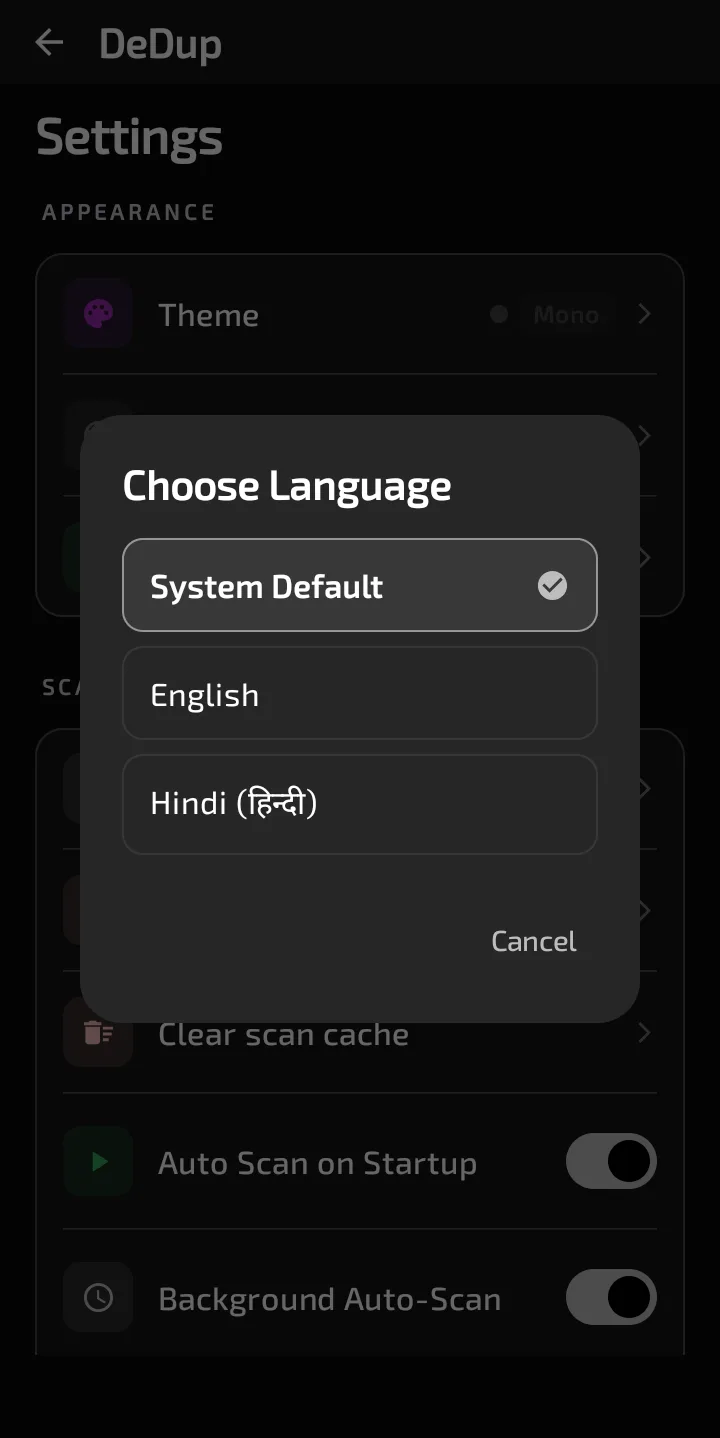
The Choose Language dialog lists System Default, English and Hindi.
How the setting works
Open Settings. The Language row is in the Appearance section and shows your current choice. Tap it to open "Choose Language". The list has three options:
- System Default
- English
- Hindi (हिन्दी)
Pick one and the dialog closes. DeDup then hands the choice to Android's per-app language support, and the app switches language. "System Default" clears the override, so the app follows the phone's own language setting. The code leaves it to Android's per-app language support to remember your choice and doesn't save it separately.
Which languages have text
The app has three sets of strings: English (the default), Hindi and Slovenian. All three are also listed in the app's locale configuration.
- English. 462 text entries.
- Slovenian. Has an entry for each of the same 462.
- Hindi. 347 of the 462. The other 115 have no Hindi entry in the file. I'd expect those to show in English, but I didn't check on a device.
Slovenian doesn't appear in DeDup's own Language list. I can't tell from the code alone which route would show Slovenian text on a phone, and I didn't test it.
The draft disclosure
The Hindi and Slovenian text hasn't had a native-speaker review. Treat it as a draft. If a Hindi or Slovenian phrase reads oddly, English is the reference. Please report such phrases through the feedback option in Settings.
What stays in English
Not every piece of text comes from the language files. Some is written directly in the code, so choosing Hindi won't change it:
- The notification titles "Storage running low" and "Duplicates found".
- The permission cards, such as "Gallery Access Needed" and "Notifications Required".
- The names in the language list itself, such as "System Default".
The clean-up reminder is different. Its title and tips come from the language files, and the month name follows the app's language.
Scope of this post
Checked against: DeDup 1.5.3 source code (Android).
Not tested on a device: how the app looks after switching language, whether any screen shows mixed English and Hindi, and how Android's own per-app language list treats DeDup. The string counts come from comparing the Hindi and Slovenian files against the English file. They show which entries exist, not whether the translations are correct.
Screenshots were captured on a DeDup 1.5.3 development build on Android 15 (Moto g34 5G), and show only settings and empty or summary screens.