What All files access does in DeDup 1.5.3 on Android
All files access is an Android setting, not a normal permission prompt. DeDup uses it for the file browser and for the PDF and APK scanners, and DeDup sends you to the system settings page to turn it on. The image and video scanners don't need it.
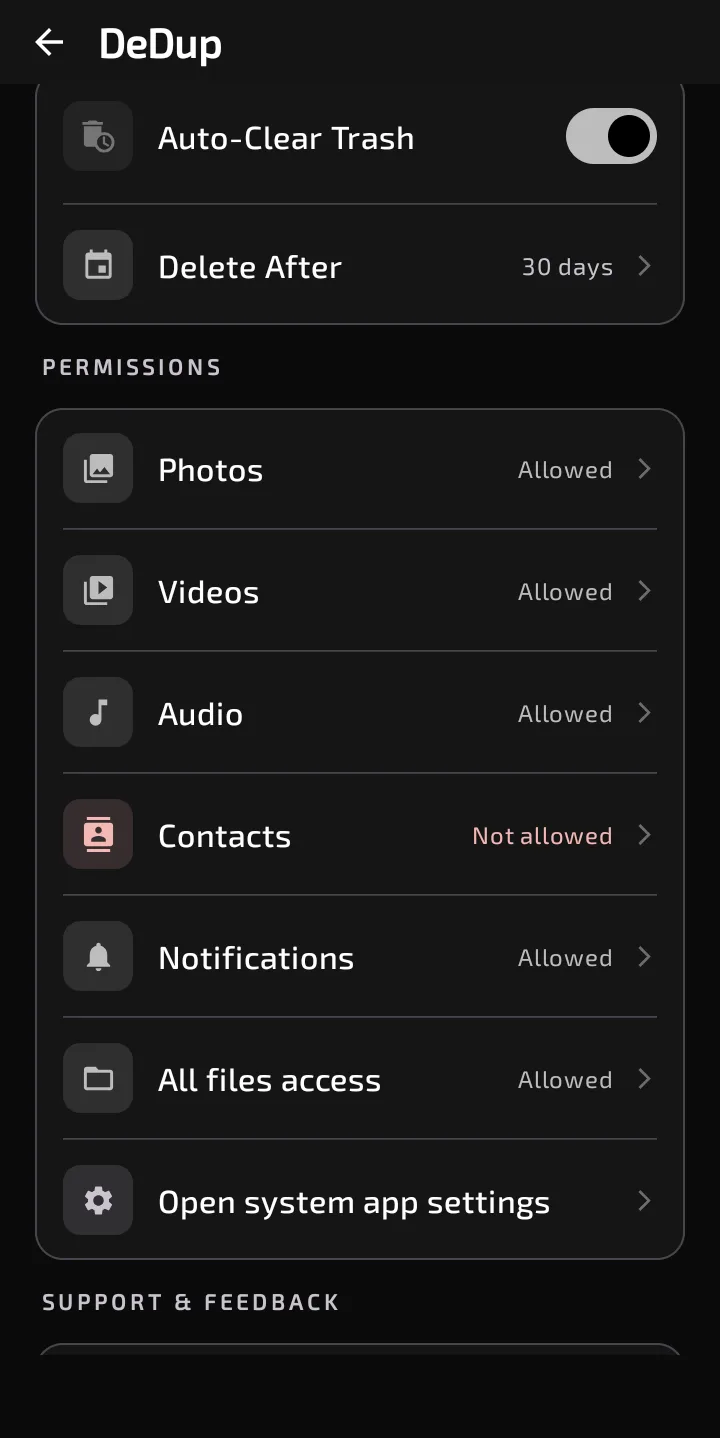
Settings shows the state of All files access.
What it's used for
DeDup declares MANAGE_EXTERNAL_STORAGE in its manifest. In the code, it matters in these places on Android 11 and newer:
- File Browser. The screen opens only when All files access is on.
- PDF Scanner and APK Scanner. Same rule. The scanner first queries Android's media database. With All files access on, it then also walks the main storage folder directly to find matching files the database missed.
- File Cleanup. The extension-based scans there, for example video, archive and APK files, use the same code. With access on, they get the extra folder walk. The screen itself opens either way.
- Agent Mode. Without the permission, it can't scan PDFs, APKs, documents or other files. It can still scan photos, videos and audio if you've allowed those.
A comment in the manifest says the Play Console declaration for this permission has to describe the file browser and the PDF and APK scanners.
How DeDup sends you to the setting
When you open File Browser, PDF Scanner or APK Scanner without access, you see a card ("All Files Access Needed" for the browser, "Storage Access Needed" for the scanners). The button says "Grant All Files Access", and a line under it says the permission is required to find duplicates across all folders.
Tapping it opens Android's All files access page for DeDup. When you come back to the app, DeDup checks again and shows the screen if access is on.
You can also use Settings, then Permissions, then "All files access". That row shows "Allowed" or "Not allowed" and opens the same page. In Agent Mode, a hint reads "Scanning PDFs, APKs and documents needs All Files access" with an "Open settings" button.
On Android 10 and older, there's no such setting. The code asks for ordinary storage permission instead.
What still works without it
The comments in the code say these features use other routes:
- Image Scanner and Video Scanner use the photo and video permissions.
- WhatsApp Cleaner queries Android's media database for images, videos and documents. The code leaves out WhatsApp's hidden statuses folder because reaching it would need All files access.
- Empty Folder Remover, on Android 11 and newer, asks you to pick your storage root with Android's folder picker and remembers the choice.
- Big File Map, on Android 11 and newer, builds its folder sizes from the media database.
Scope of this post
Checked against: DeDup 1.5.3 source code (Android).
Not tested on a device: the system's All files access page, how long the extra folder walk takes, and what the media database leaves out on a particular phone. The list of features that don't need the permission comes from the code and its comments, and I didn't run each one with the permission off.
Screenshots were captured on a DeDup 1.5.3 development build on Android 15 (Moto g34 5G), and show only settings and empty or summary screens.